Beschrijving
Deze cursus is in het Engels en heeft Nederlandse ondertiteling. De orginele versie staat er ook op.
- Office 365 is de nieuwste versie van Microsoft Office. Deze nieuwste versie is cloudgebaseerd, wat betekent dat deze online en offline beschikbaar is.
- Office 365 draait op Windows 7 of hoger en OS X 10.5.8 en hoger.
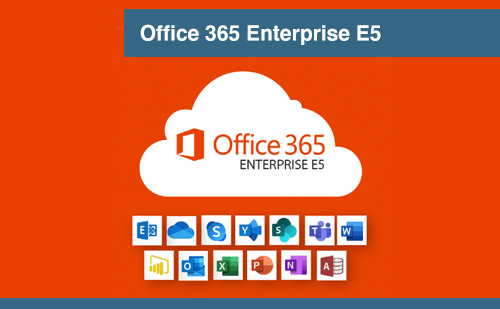
- Net als de vorige versie van Microsoft Office, wordt de Home Premium-versie van Office 365 geleverd met Word, Excel, PowerPoint, Outlook, Publisher, OneNote en Access.
- Office 365 Home Premium-abonnees krijgen elke maand gratis 60 minuten Skype naar vaste lijn.
- Eind 2018 had Office 365 meer dan 85 miljoen maandelijkse actieve gebruikers.
- In 2018 boekte Microsoft een toename van 35% in het gebruik van Office 365.
- Met Office 365 heeft MIcrosoft het voortouw genomen bij de acceptatie van cloudgebaseerde oplossingen. 40% van de Europese organisaties met meer dan 1.000 werknemers koos voor Office 365.
- Office 365 gebruikt OneDrive voor samenwerking op afstand.
Dit is een zeer gedetailleerde 20 stapsgewijze videoserie met de titel ‘Organiseren met Office 365′. Deze over-the-shoulder video’s helpen u en uw klanten te begrijpen hoe ze dit platform het beste kunnen gebruiken om hun bedrijf te organiseren en te laten groeien. Het is een zeer praktische cursus die zelfs een complete beginner kan volgen en er resultaten mee kan behalen. Geen fluff-theorie – alleen uitvoerbare stappen om te slagen.
Hier is een lijst met de videotitels die in deze training zijn opgenomen:
- Introductie
- Licenties voor bedrijven
- Prijzen voor thuis en voor bedrijven
- Redenen voor thuisgebruik
- Zakelijke versies en prijzen
- Instellingen
- Offline Office-toepassingen
- Office 365 offline gebruiken
- Onedrive instellingen
- Onedrive basis instellingen
- Onedrive – Deel 2
- Skype voor bedrijven
- Skype voor webinars
- Skype voor Bedrijven versus Skype Desktop
- MS Outlook Exchange
- MS Outlook versus Microsoft Exchange
- Taken beheren met Planner
- De Teams-applicatie
- Facturering en de managament-apps
- Conclusie
De totale video-speelduur is ongeveer 1 uur.
Deel2: Voor gevorderden
- Andere opties
- Beheercentrum deel 1
- Beheercentrum deel 2
- Documenten delen
- Documenten delen en Delve
- Intranet via Sharepoint deel 1
- Intranet via Sharepoint deel 2
- Sway deel 1
- Sway deel 2
- Flow deel 1
- Flow deel 2
- Yammer deel 1
- Yammer deel 2
- Dynamics 365 deel 1
- Dynamics 365 deel 2
- Forms deel 1
- Forms deel 2
- Microsoft To Do
- Conclusie
Engelse versie:
- Office 365 is the latest version of Microsoft Office. This latest version is cloud based, meaning it is available online and offline.
- Office 365 runs on Windows 7 or higher and OS X 10.5.8 and higher.
- Just like the previous version of Microsoft Office, the Home Premium version of Office 365 comes with Word, Excel, PowerPoint, Outlook, Publisher, OneNote, and Access.
- Office 365 home premium subscribers get free 60 minutes of skype to landline calls every month.
- BY the end of 2018, Office 365 had over 85 million monthly active users.
- In 2018 Microsoft posted a 35% increase in Office 365 adoption.
- With Office 365, MIcrosoft has taken the lead in cloud based solution adoption. 40% of Europe’s organisations with over 1,000 employees chose Office 365.
- Office 365 uses OneDrive for over the distance collaborations.
This is a very detailed 20 step-by-step video series titled ‘Organize With Office 365’. These over-the-shoulder videos will help you and your clients to understand how to best use this platform to organize and grow their business.
It’s a very practical course that even a complete beginner can follow and get results with it. No fluff theory – only actionable steps to succeed.
Here’s a list of the video titles included in this training:
- Overview
- Licensing Issues for Businesses
- Home and Business Pricing
- Why Purchase the Home Version
- Business Versions and Pricing
- Purchase and Set Up
- Using Office Applications Offline
- Do You Need to Be Internet Connected
- Using Office Applications Online
- Using One Drive
- Using One Drive – Part 2
- Skype for Business
- Skype for Business – Part 2
- Skype for Business vs. Skype Desktop
- MS Outlook with Exchange
- MS Outlook with Exchange Vs. Home Version
- Managing Tasks with Planner
- The Teams Application
- Invoicing and Management Apps
- Conclusion
The total video running time is about 1 hour.
Upgrade Module 1: 20-Part Advanced Training Videos
This is the UPGRADED course which contains 20 advanced video modules that will bring your customers business to the next level.
This is also a very practical course, with easy to follow instructions. No fluff theory. Only actionable steps to succeed.
Here’s a list of the video titles included in this second training:
- Overview: Comparison(s) with Google Docs
- Other 365 Enterprise Options
- Admin Panel
- Admin Panel – Part 2
- Document Sharing And Collaboration
- Document Sharing And Collaboration – Part 2
- Intranet with SharePoint
- Intranet with SharePoint – Part 2
- Onscreen Presentations with Sway
- Onscreen Presentations with Sway – Part 2
- Zapier-Like Integrations with Flow
- Zapier-Like Integrations with Flow – Part 2
- Slack-Like Conversations with Yammer
- Slack-Like Conversations with Yammer – Part 2
- Integrating with WordPress – Part 2
- Adding On Applications with Dynamics 365
- Adding On Applications with Dynamics 365 – Part 2
- Create Surveys, Quizzes and Polls with Forms
- Create Surveys, Quizzes and Polls with Forms – Part 2
- Conclusion
The total video running time is about an hour long with full of awesome content.
- 1. Overview
- 2. Licensing Issues for Businesses
- 3. Home and Business Pricing
- 4. Why Purchase the Home Version
- 5. Business Versions and Pricing
- 6. Purchase and Set Up
- 7. Using Office Applications Offline
- 8. Do You Need to Be Internet Connected
- 9. Using Office Applications Online
- 10. Using One Drive
- 11. Using One Drive – Part 2
- 12. Skype for Business
- 13. Skype for Business – Part 2
- 14. Skype for Business vs. Skype Desktop
- 15. MS Outlook with Exchange
- 16. MS Outlook with Exchange Vs. Home Version
- 17. Managing Tasks with Planner
- 18. The Teams Application
- 19. Invoicing and Management Apps
- 20. Conclusion
How to Implement Microsoft 365 into any businessIn the age of information, you are your brand. But if you are going to monetize it effectively you need to make sure that you have people listening to you in the right places. But it isn’t enough to have people listening to you. You aren’t automatically going to be able to leverage that. There are specific steps to take to ensure that your presence online is available to provide value to your listeners and be compensated for your knowledge and expertise. We’re going over the exact technical steps in making this happen. Following the steps we’re outlining; you’ll have the big picture in less than one hour and then when people start listening to you…you’ll benefit as they benefit.
- 0001 – Introduction to Office-Msoft 365
- 0002 – Privacy and Security
- 0003 – Microsoft 365 on Your Mobile Device
- 0004 – Family Settings
- 0005 – Create a Presentation with Microsoft Sway
- 0006 – Search the Entire Platform for Microsoft Documents
- 0007 – Manage Your Tasks with Microsoft ToDo
- 0008 – Collect Responses with Microsoft Forms
- 0009 – Create Categorizations with Microsoft Lists
- 0010 – Using Microsoft Word
- 0011 – Using Microsoft Excel
- 0012 – Using Microsoft PowerPoint
- 0013 – Using Microsoft One Note
- 0014 – Using One Drive
- 0015 – Using Microsoft Outlook
- 0016 – Using Contacts in Outlook
- 0017 – Using Microsoft Calendar
- 0018 – Using Microsoft Skype
- 0019 – Using Microsoft Teams
- 0020 – Introduction to Power Automate
- 0021 – Create Videos With Microsoft Clipchamp